RTX PRO 6000 Blackwell rental price per hour in 2026: 96 GB on one GPU, and when an H100 or H200 fits better
Rent one RTX PRO 6000 Blackwell on Lium from $1.75 per hour on Secure, or a whole 8-GPU Server Edition node from $1.85 per GPU-hour. 96 GB holds a 70B model in 8-bit or a 32B model in 16-bit on one GPU. Prices checked 18 November 2026.
Lium team4 min read
rtx-pro-6000
blackwell
inference
pricing
buyer-guide
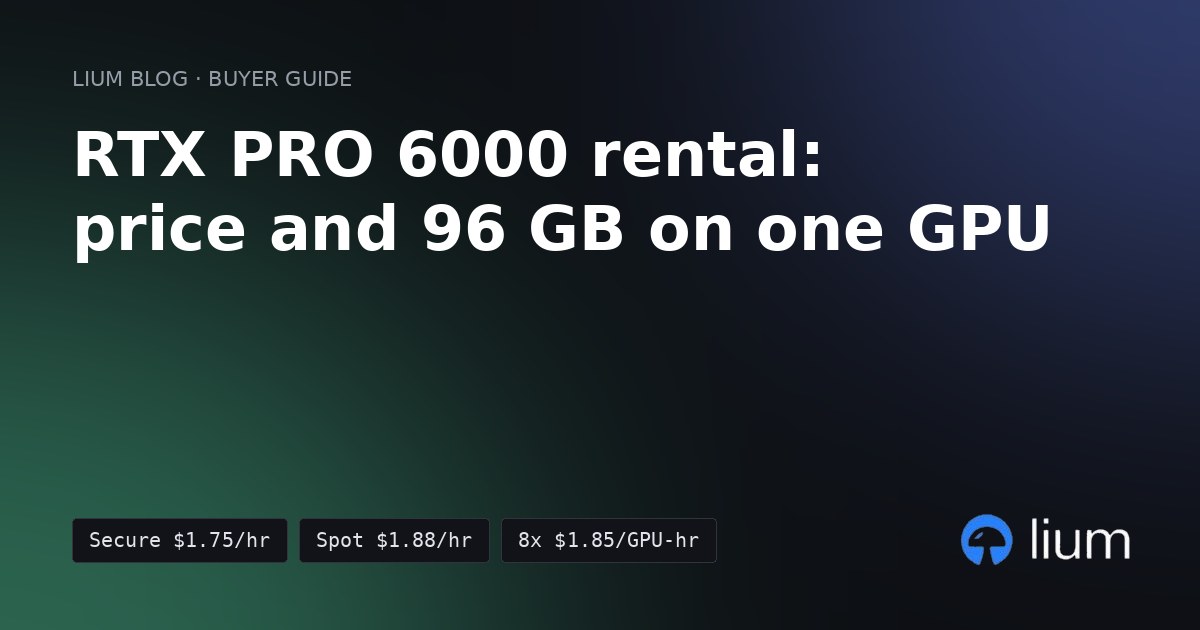
Short answer: one RTX PRO 6000 Blackwell on Lium costs from $1.75 per hour on the Secure tier. A whole 8-GPU Server Edition node costs from $1.85 per GPU-hour, or $14.80 per hour for all eight. Rent it when your model needs more than 80 GB on one GPU, or when 96 GB lets you skip splitting a model across GPUs. Rent an H100 or H200 when you need several GPUs linked by NVLink.
(Lium prices from the public nodes feed, generated 18 November 2026 at 09:39 UTC. Lium is a marketplace where providers set the price, so check Pricing for today's numbers and Stats for how many GPUs are listed and rented.)
RTX PRO 6000 price per hour on Lium
These are the cheapest asks for nodes you could rent at that moment. Some providers only rent a multi-GPU node as a whole, which is why the 2-GPU and 8-GPU rows are separate.
Spot can be reclaimed, so save checkpoints and results off the pod. Lium bills per second, so a 10-minute test costs 10 minutes.
RTX PRO 6000 specs
All three editions have 96 GB of GDDR7 with ECC on a 512-bit interface. They differ in power and memory bandwidth.
- Server Edition: 24,064 CUDA cores, 1,597 GB/s memory bandwidth, up to 600 W (configurable). From NVIDIA's Server Edition page, read 18 November 2026.
- Workstation Edition: 1,792 GB/s memory bandwidth, 600 W. From NVIDIA's RTX PRO 6000 page, read the same day.
- Max-Q Workstation Edition: the lower-power version of the Workstation Edition, with the same 96 GB.
- Architecture: Blackwell, with 5th-generation Tensor Cores and FP4 support.
- NVLink: none. On Lium the multi-GPU RTX PRO 6000 nodes report PCIe as their interconnect.
What fits in 96 GB
The weights take most of the memory. Each parameter is 2 bytes in 16-bit, 1 byte in 8-bit and about half a byte in 4-bit (see Hugging Face's quantization overview, read 18 November 2026). The KV cache for your context and batch comes on top.
A 70B model in 8-bit leaves about 26 GB for the KV cache on one RTX PRO 6000. On an 80 GB H100 the same weights leave about 10 GB, which limits context length and batch size.
RTX PRO 6000 vs H100 vs H200 on Lium
Same nodes feed, same read time.
- Pick an RTX PRO 6000 when one GPU with 96 GB is enough, for example a 70B model in 8-bit or a 32B model in 16-bit. It had the lowest single-GPU price of these at this read.
- Pick an H100 when your model fits in 80 GB with room for its context and you want a GPU most inference and training tools are tuned for. Compare prices on Cheapest H100 and H200 cloud.
- Pick an H200 when you need more than 96 GB on one GPU, or several GPUs linked by NVLink for training or large-model serving.
If your workload is limited by memory bandwidth rather than memory size, run a short test on each GPU before you commit. Per-second billing keeps that test cheap.
How to rent an RTX PRO 6000
Install the CLI and sign in once:
bash
curl -fsSL https://lium.io/install.sh | bash
lium init
Rent one RTX PRO 6000 for up to 2 hours:
bash
lium up --gpu RTXPRO6000 --name mypro6000 --ttl 2h -yStop it when you are done:
bash
lium rm mypro6000 -yTo serve a model on it, follow Serve an open LLM with vLLM on a single Lium GPU. For a model-size guide across all GPUs, see Best GPU cloud for open-source LLM inference.
Prices change hourly on a marketplace. Check Pricing before you rent.
Run it on Lium
Billed per second, no minimum rental.
Get new posts by e-mail: Subscribe to the Lium newsletter