Best GPU cloud for fine-tuning a 70B model in 2026: memory needs, node choice and cost per hour
QLoRA on a 70B model fits one 96 GB GPU ($1.49 per hour on Lium Secure), LoRA on a 16-bit base needs about 140 GB (one B200, $7.00 per hour), and a full fine-tune needs about 1.26 TB before activations (8x B300, $32 per hour on Spot). Prices checked 15 November 2026.
Lium team4 min read
fine-tuning
training
qlora
lora
b200
b300
buyer-guide
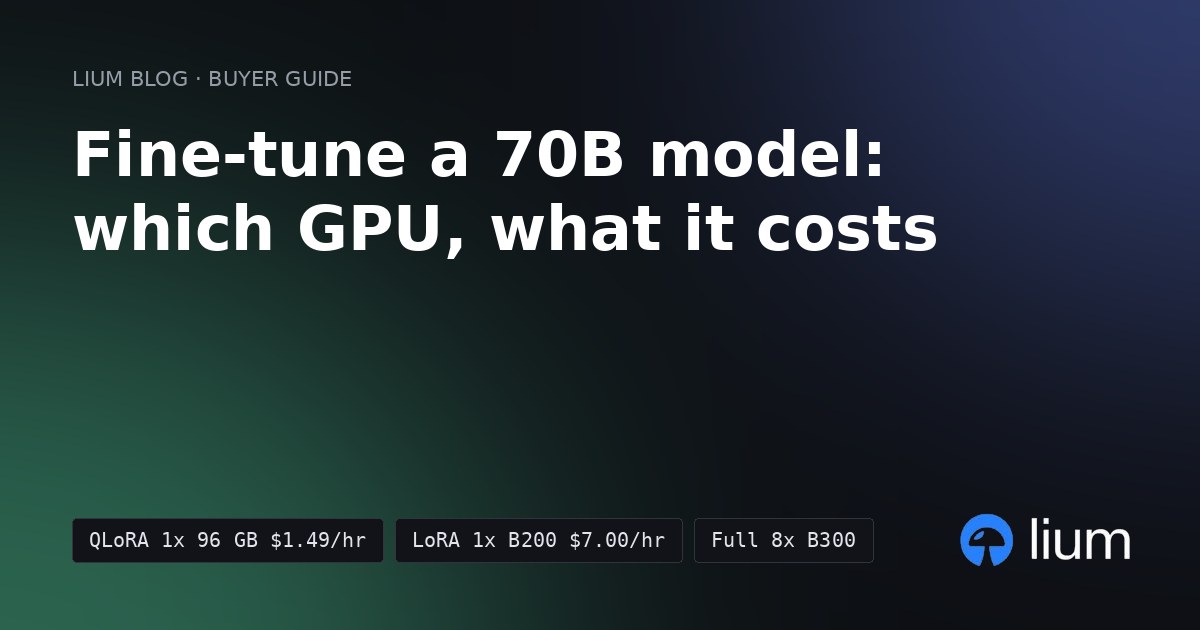
Short answer: for most teams, fine-tune a 70B model with QLoRA on one 96 GB GPU. On Lium that is an RTX PRO 6000 at $1.49 per hour on the Secure tier. If you need LoRA on a 16-bit base model, rent one B200 (180 GB) at $7.00 per hour. Only a full fine-tune needs a whole 8-GPU node: 8x B300 at $4.00 per GPU-hour on Spot, or $11.90 on Secure.
(Lium prices from the public nodes feed, generated 15 November 2026 at 15:01 UTC. Lium is a marketplace where providers set the price, so check Pricing for today's numbers and Stats for how many GPUs are listed and rented.)
The GPU you need depends on how you fine-tune, not on the model alone. The three common methods differ in memory by more than 30x.
How much GPU memory each method needs
Hugging Face's model memory anatomy guide (read 15 November 2026) counts mixed-precision training with AdamW at 18 bytes per trained parameter: 6 for the weights, 8 for the optimizer states and 4 for the gradients. Activations come on top and grow with batch size and sequence length.
The QLoRA paper (Dettmers et al., May 2023) fine-tuned a 65B model on a single 48 GB GPU. That is the setup the paper demonstrated, not a minimum: a 70B QLoRA run can fit on less with short sequences and small batches. A 96 GB card gives you room for longer sequences and larger batches.
Which Lium node to rent for each method
These are the cheapest asks in the nodes feed at 15:01 UTC on 15 November 2026 for nodes you could rent at that moment.
A single H200 (141 GB) is not on the list for LoRA on a 16-bit base. The 140 GB of frozen weights leave almost nothing for activations. An 8x H200 node (about 1.1 TB) is not on the list for a full fine-tune either. It is below the 1,260 GB that the weights, gradients and optimizer states need, so you would have to offload to CPU memory.
On Secure, you are credited if the provider interrupts your rental. Spot can be reclaimed, so save checkpoints off the pod. A long full fine-tune belongs on Secure unless it checkpoints often.
What a 10-hour run costs
How long a run takes depends on your dataset, sequence length and settings, so this example fixes the duration at 10 hours. Lium bills per second, so a run that ends early costs less.
A full fine-tune of a 70B model costs about 64 times as much per hour as QLoRA on Secure. Choose it only when adapters are not enough for your task.
How to rent the node
Install the CLI and sign in once:
bash
pip install lium.io
lium init
List single-GPU nodes with at least 96 GB of memory, cheapest first:
bash
lium ls --min-vram 96 --count 1For the full fine-tune, list whole 8-GPU nodes instead:
bash
lium ls --count 8To train, see Fine-tune an open LLM with LoRA on Lium. It covers the script, the upload and copying the adapter back. For a 70B model, load the base in 4-bit for QLoRA and keep the rest of the steps.
How to choose
- Start with QLoRA on one 96 GB GPU. It is the cheapest way to adapt a 70B model, and per the QLoRA paper it matched 16-bit fine-tuning on its benchmarks.
- Move to LoRA on a 16-bit base only if quantization hurts your task. That moves you to one B200 and about 4.7 times the hourly price.
- Rent a full 8x node only for a full fine-tune. Use 8x B300 for headroom. 8x B200 fits only with small batches or activation checkpointing.
- Check memory before you rent. Weights, gradients and optimizer state are fixed by the method. Activations grow with batch size and sequence length.
Prices change hourly on a marketplace. See Pricing and the GPU list before you rent, and B200 vs H200 vs H100 for LLM training if your job is pre-training rather than fine-tuning.
Run it on Lium
Billed per second, no minimum rental.
Get new posts by e-mail: Subscribe to the Lium newsletter