NVIDIA B300 rental price per hour in 2026: Spot vs Secure on Lium, and when B200 or H200 costs less
On Lium a whole 8x B300 node costs $4.00 per GPU-hour on Spot ($32 per hour) and from $9.00 on Secure; one B300 on Secure starts at $7.14. Per hour, 8x B200 costs less, and one H200 at $3.80 costs about half a single Secure B300; B300 is cheaper per job only if it runs your job faster by the break-even factor. Prices checked 15 November 2026.
Lium team4 min read
gpu-pricing
b300
b200
h200
blackwell
buyer-guide
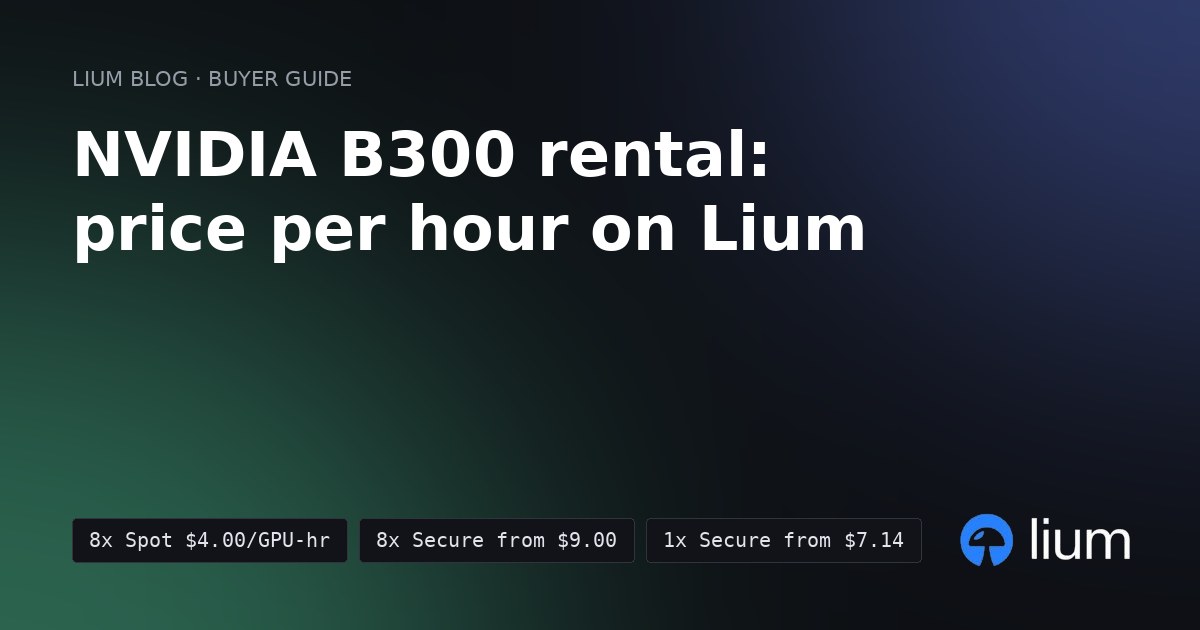
Short answer: a whole 8x B300 node on Lium costs $4.00 per GPU-hour on Spot, or $32 per hour for the node. On Secure, 8x B300 starts at $9.00 per GPU-hour and a single B300 at $7.14. Per hour, 8x B200 costs 8% less on Spot and 30% less on Secure, and one H200 costs about half a single Secure B300. Whether B300 is cheaper per job depends on how much faster it runs your job, so measure that before you pick.
(Lium prices from the public nodes feed, generated 15 November 2026 at 21:55 UTC. Lium is a marketplace where providers set the price, so check Pricing for today's numbers and Stats for how many GPUs are listed and rented.)
B300 prices on Lium
These are the cheapest asks for nodes you could rent at 21:55 UTC on 15 November 2026. The same feed listed B300 Secure asks up to $12.67 per GPU-hour, so sort by price before you rent.
On Secure, you are credited if the provider interrupts your rental. Spot can be reclaimed, so save checkpoints off the pod. Lium bills per second, with no minimum term.
What B300 adds over B200
NVIDIA's HGX spec table (read 15 November 2026) compares the 8-GPU boards side by side:
So B300 gives you 1.5 times the memory, 1.5 times the dense FP4 throughput and twice the attention performance (NVIDIA's figure, against Blackwell). BF16 and FP8 throughput is the same as B200. INT8 and FP64 are much lower. NVIDIA's DGX B300 page lists the same 2.1 TB and 108 PFLOPS dense FP4 for its 8-GPU system.
What B300 is good for
- Serving large models with long context. Memory holds the weights and the KV cache, and attention dominates long prompts. Both favor B300.
- FP4 inference. Dense FP4 is 1.5 times B200's figure.
- Training that does not fit in 1.4 TB. Mixed-precision training with AdamW needs about 18 bytes per trained parameter before activations, per Hugging Face's model memory anatomy guide. A full fine-tune of a 70B model is about 1.26 TB on that count. That leaves little room on 8x B200 and fits on 8x B300.
B300 is the wrong card for FP64 simulation and for INT8 inference. B200 is far faster at both.
When B200 or H200 costs less
Same feed, same read time.
- BF16 or FP8 work that fits in 1.4 TB: compare with 8x B200. NVIDIA rates both boards the same at those precisions. On Spot, 8x B300 costs 8% more per hour than 8x B200, so it is cheaper per job only if it finishes your job at least 1.08 times as fast. On Secure it costs 43% more, so the break-even is 1.43 times as fast. Larger memory or faster attention can give that speedup on some jobs; measure yours.
- A model that fits on one 141 GB GPU: compare with one H200. At $3.80 per hour it costs about half of one Secure B300, so a single B300 is cheaper per job only if it runs at least 1.88 times as fast.
- One GPU with more memory: one B300. On Secure, a single B300 at $7.14 per hour cost less than a single B200 at $8.89 at read time.
- More than 1.4 TB on one node: 8x B300. It is the only 8-GPU node here with that much memory, and on Spot it costs only 8% more per hour than 8x B200.
For a full comparison of B200, H200 and H100 per useful training hour, see B200 vs H200 vs H100 for LLM training. For the cheapest Hopper options, see the cheapest H100 and H200 cloud.
How to rent a B300 node
Install the CLI and sign in once:
bash
pip install lium.io
lium init
List whole 8-GPU B300 nodes:
bash
lium ls --gpu B300 --count 8For a single B300, use
--count 1. Then rent the node you picked with lium up.Run it on Lium
Billed per second, no minimum rental.
Get new posts by e-mail: Subscribe to the Lium newsletter